01 · In church
WCM
For the media team
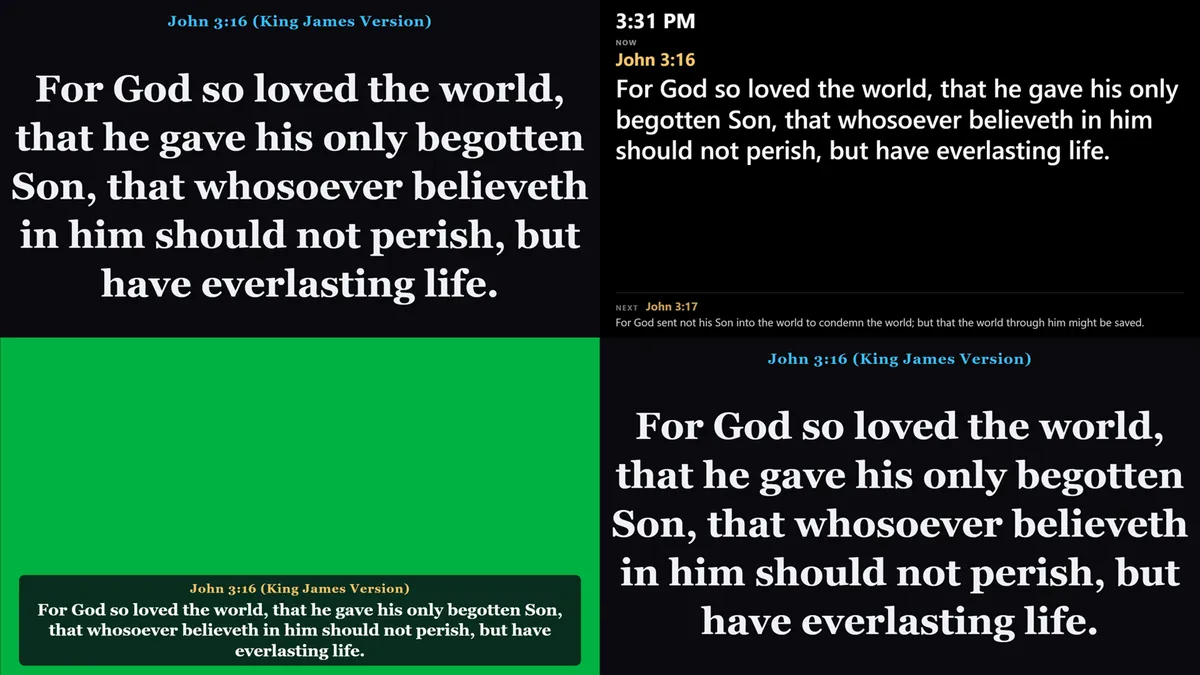
Scripture on screen as it is read, songs and the order of service, and a job for every screen: projector, stage, livestream and lobby.
What's new in WCMThree apps · One church · Built to work together
The pastor prepares the sermon once, and it reaches the church's screen in one tap. The media team puts scripture up as it is read. The congregation reads along in a free Bible app on their own phones.
WCM runs on Windows 10 and 11, with a free 30-day trial of scripture detection. The Study Bible (Android and Windows) and WCM Bible (Android) are free to download, and both also run in the browser on any phone, including iPhone.
One church, three places
WCM runs the screens on Sunday. The Bible apps put the service in every pocket. Church Life keeps everyone together all week.
01 · In church
For the media team
Scripture on screen as it is read, songs and the order of service, and a job for every screen: projector, stage, livestream and lobby.
What's new in WCM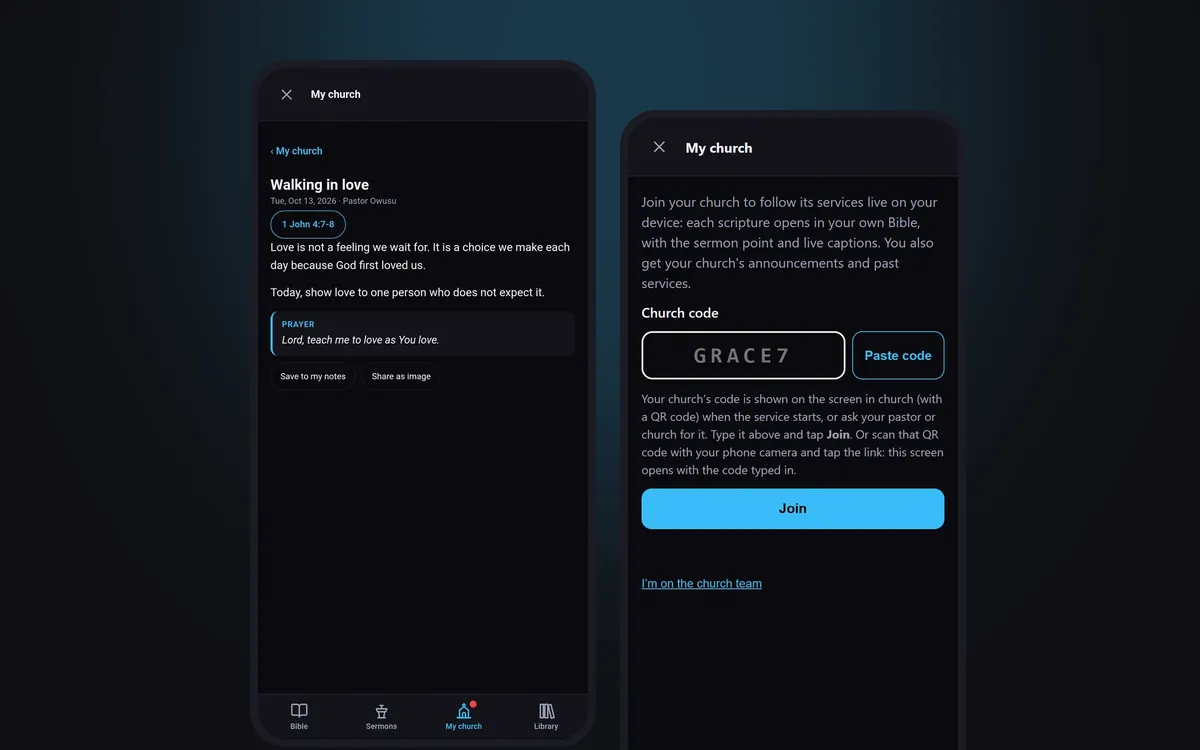
02 · On every phone
For members and pastors · Android, Windows, iPhone
Members follow the service, read devotionals and send prayer requests in the free WCM Bible. Pastors prepare and preach with WCM Study Bible.
Get the Bible app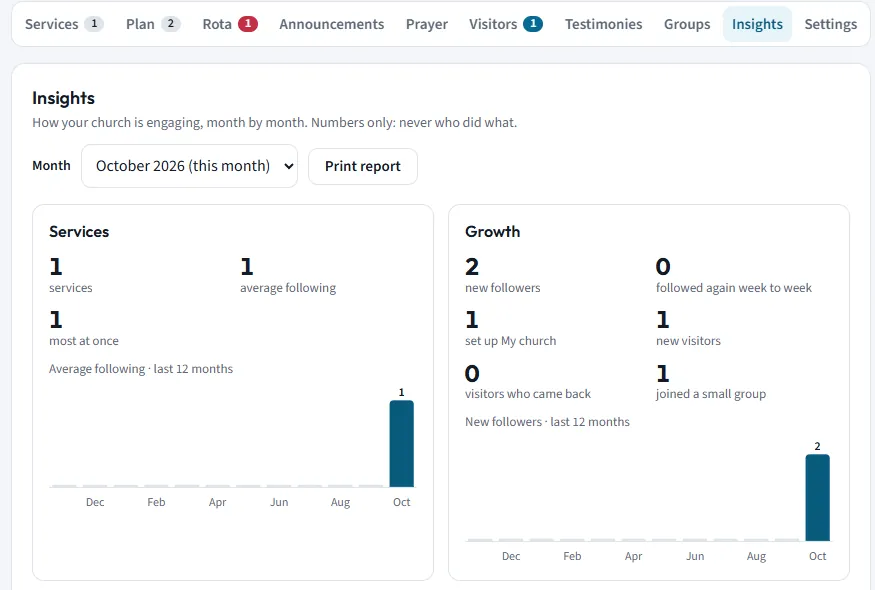
03 · All week
For the pastor and the church team
The rota with reminders, visitor welcome, testimonies, devotionals, group guides, prayer requests and Insights, on the church dashboard.
See Church LifeWhy WCM
What changes for your church when the pastor, the media team and the congregation use apps made to work together.
WCM hears the reference as the pastor says it and suggests the verse. Your operator confirms with one tap; nothing projects by itself.
The pastor sends the title, speaker, scriptures and points from the Study Bible straight to WCM. Nobody retypes anything.
A study Bible for the pastor, presentation software for the media team and a free Bible for everyone, built to work together.
The WCM console works in English, Spanish, French, Portuguese and Korean, and live captions can carry a translated line for your guests.
WCM's listening runs on the booth computer itself. The Bible apps keep working without a signal once they are set up.
No call centre and no self-serve checkout. You talk directly to the developer who builds the apps.
The apps
Each app stands on its own. Together, the sermon a pastor prepares on a phone or laptop can reach the church's screen without anyone typing it in again.
Wozer Church Media · Windows 10 & 11
Presentation software that listens to the sermon and suggests the scripture, word study, sermon point or song as it is spoken. The operator confirms; nothing projects by itself.
Android, Windows & web (iPhone too) · one Pro key for all three
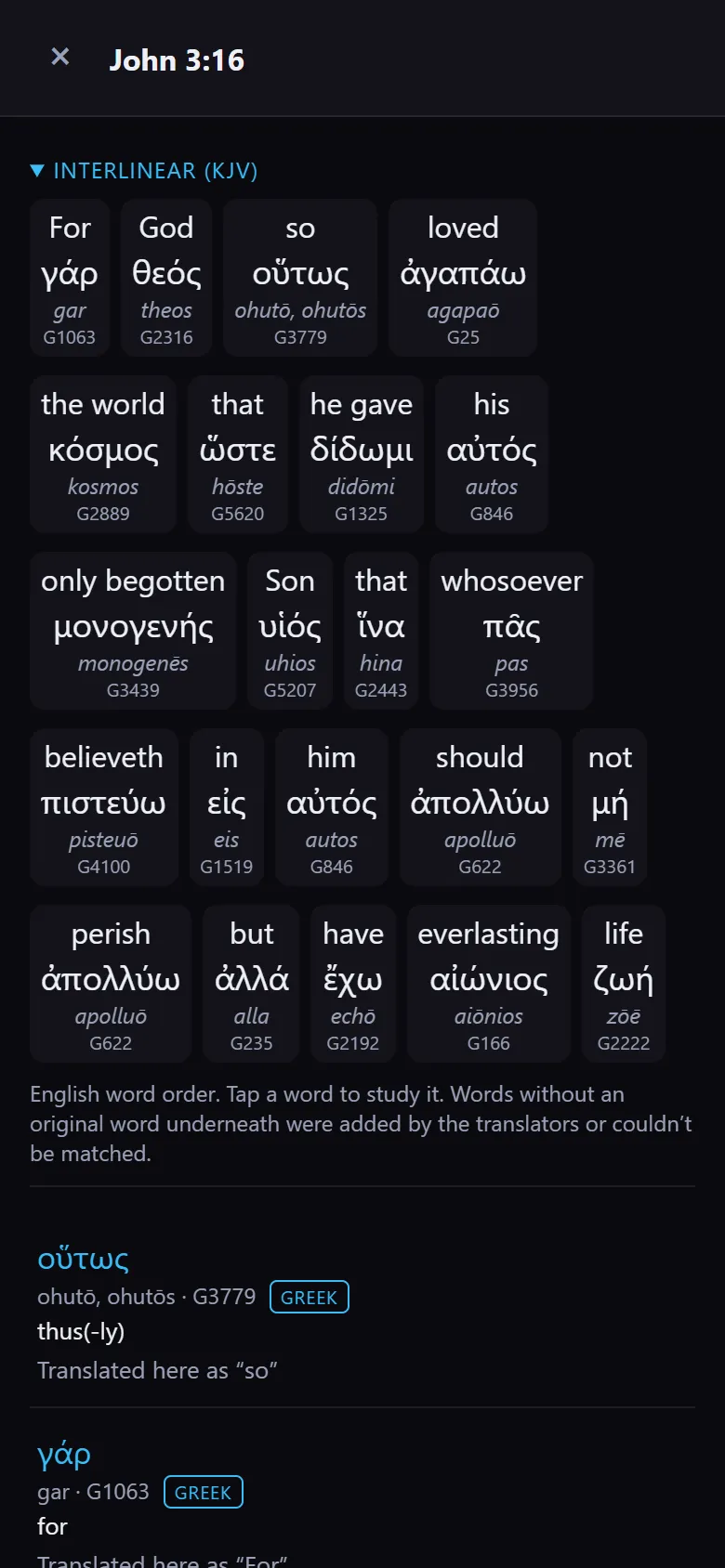
Word study in Hebrew and Greek, a Bible library with people, places and maps, commentaries and cross-references, and sermon preparation that syncs between your phone and PC.
Android & web (iPhone too) · free · works offline
A free Bible app for the whole congregation: read, highlight, take notes, follow a reading plan and listen with the Audio Bible.
How it fits together
No more sermon notes forwarded on WhatsApp at midnight and retyped in the booth. The sermon travels from the Study Bible to WCM as it is.
The pastor writes the sermon: title, scriptures in any version, points and notes.
One tap sends the title, speaker and scriptures to the church's WCM. If WCM is closed, it waits in the inbox.
The title and speaker go full screen, the scriptures land in the Queue and the points in Sermon Points.
Preach view shows the points and the stage timer, takes messages from the booth, and can record the sermon.
Members scan the QR code on screen. Each scripture opens in their own Bible as it is read, and the service stays on your church page afterwards.
Send to WCM is part of WCM Study Bible Pro. Read about the Study Bible.
A pastor with WCM Study Bible Pro can set up the church page from a phone: members join with the code, follow the pastor live and get devotionals. When you get WCM later, it joins the same page. One church, one code for life.
The real apps
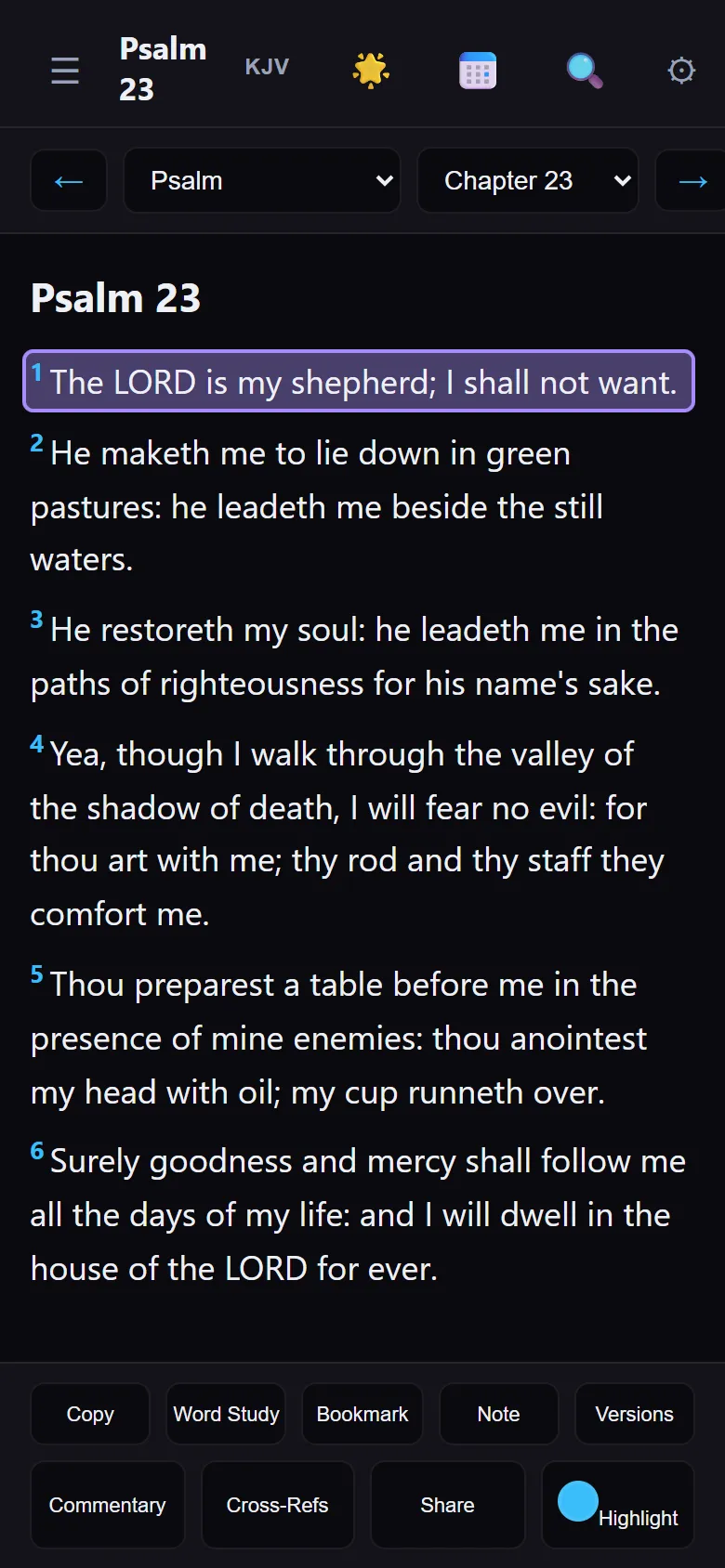
Real screens, not mockups: WCM projecting scripture in the sanctuary, the Study Bible's Hebrew and Greek word study, and WCM Bible on a phone.

For churches
There is no self-serve checkout. Each church gets its license directly from us, so a real person answers your questions first.
WCM · 30 days
By request
Questions
WCM has a free 30-day trial, and the WCM Bible app is free for everyone. A church licence for WCM, and a Pro key for the Study Bible, are by request: send your church's name and a real person replies.
No. WCM Bible is free for members, on Android and in any phone's browser, including iPhone.
Yes. A pastor with WCM Study Bible Pro can set up your church page without WCM: members join, follow the pastor live and get devotionals, and the team gets the rota and dashboard. See how.
No. WCM joins the same church page. Members keep the same code, and your dashboard, team links, rota and past services stay.
Yes, in Safari. Open the web version and add it to your Home Screen, and it opens like an app. See the iPhone steps.
A Windows 10 or 11 computer with a projector or TV as a second screen. Add more screens for the stage, the livestream or the lobby whenever you are ready.
No for the booth: WCM listens and projects on the computer itself. Members' phones, Follow along and the dashboard need a connection.
Visitor details are only sent if the visitor agrees, only the welcome team and admin see them, and they are deleted after 12 months. Insights show numbers only, never who did what. Read our Privacy policy.
Help & tutorials
Short video tutorials walk a new operator through the free trial, and every screen in WCM has its own guide under Help → App Guide.
Prefer email? Write to [email protected] directly.
Built and maintained by Philip — a solo developer, not a company. When you write in, a real person who actually wrote the code reads it and replies.