Church Life · New
Sunday is one day. Church Life keeps everyone connected for the other six: the team rota with reminders, a warm welcome for visitors, testimonies, daily devotionals from the pastor, guides for small groups, prayer requests and a monthly picture of how the church is doing.
Church Life comes with WCM, and with WCM Study Bible Pro for churches without a projector. Members use the free WCM Bible app.
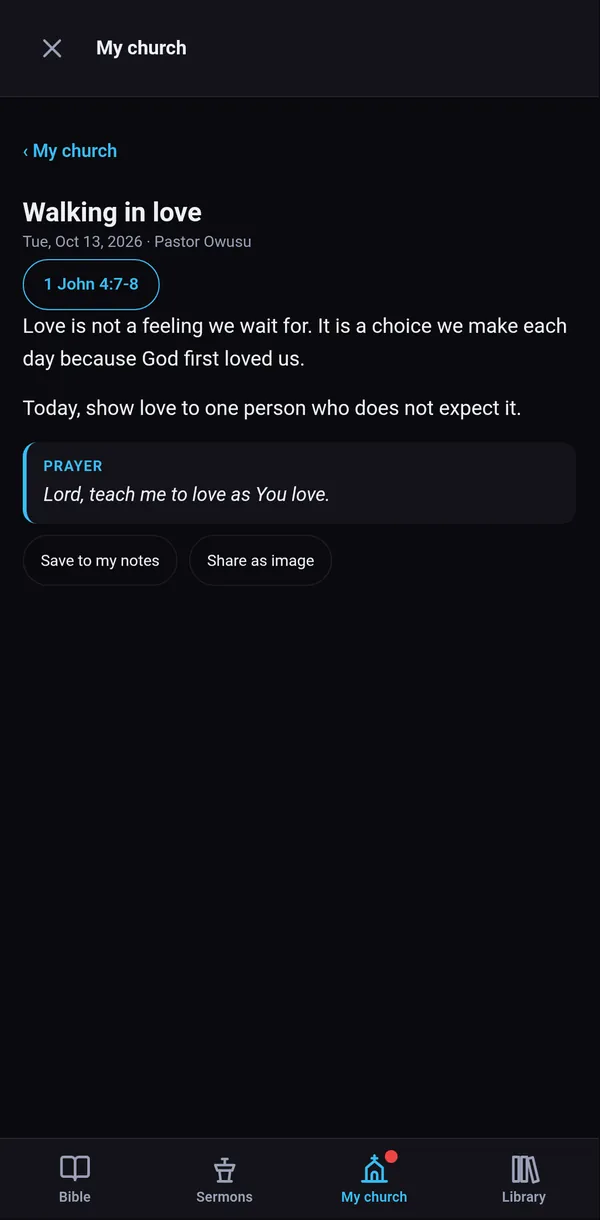
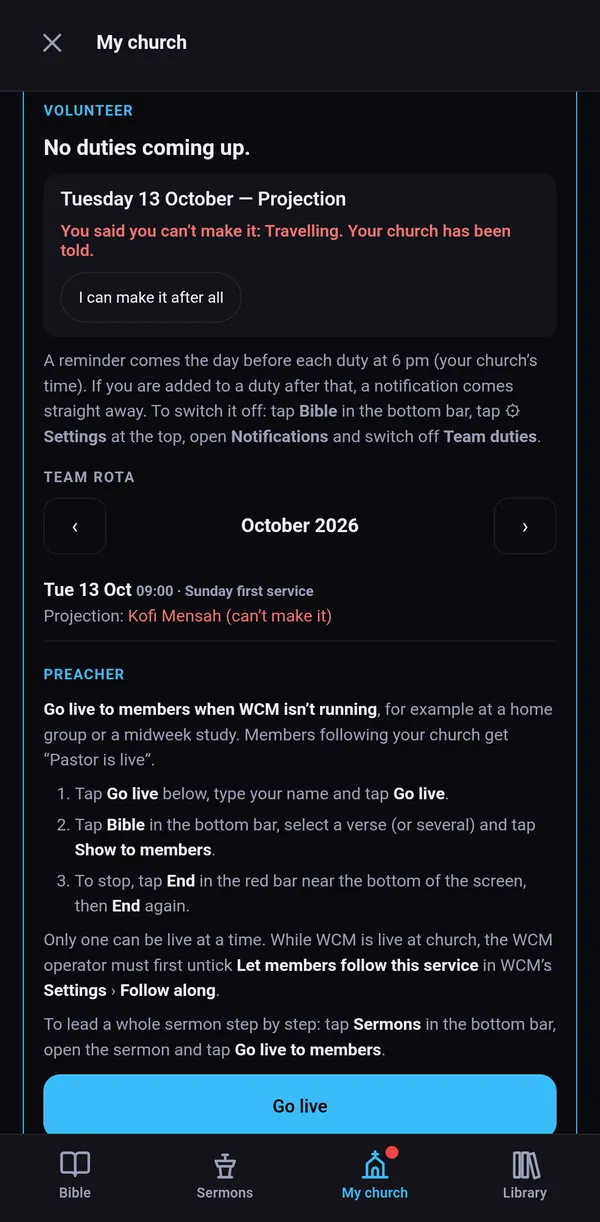
One week of Church Life
Here is what a normal week looks like once your church is set up.
Each step below is a real feature in today's apps. Your church picks the parts it wants.
Everyone on duty tomorrow gets a reminder. Anyone who can't come taps I can't make it, and the admin and media team are told straight away.
WCM asks "Today's plan: Load it?". The running order shows who leads each item and who is on duty, with anyone missing marked in red.
Members scan the QR code and follow the service on their phones. A first-time visitor taps First time here? and leaves their details for the welcome team.
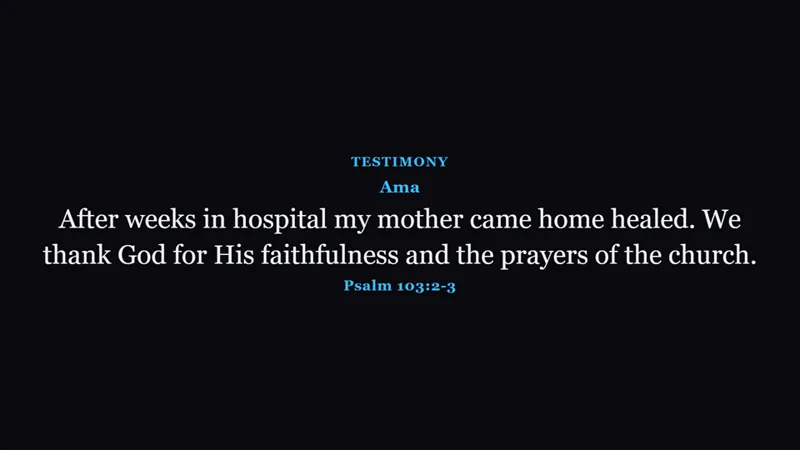
An approved testimony goes up on its own slide, and the "Welcome to our visitors" slide shows the first names you tick.
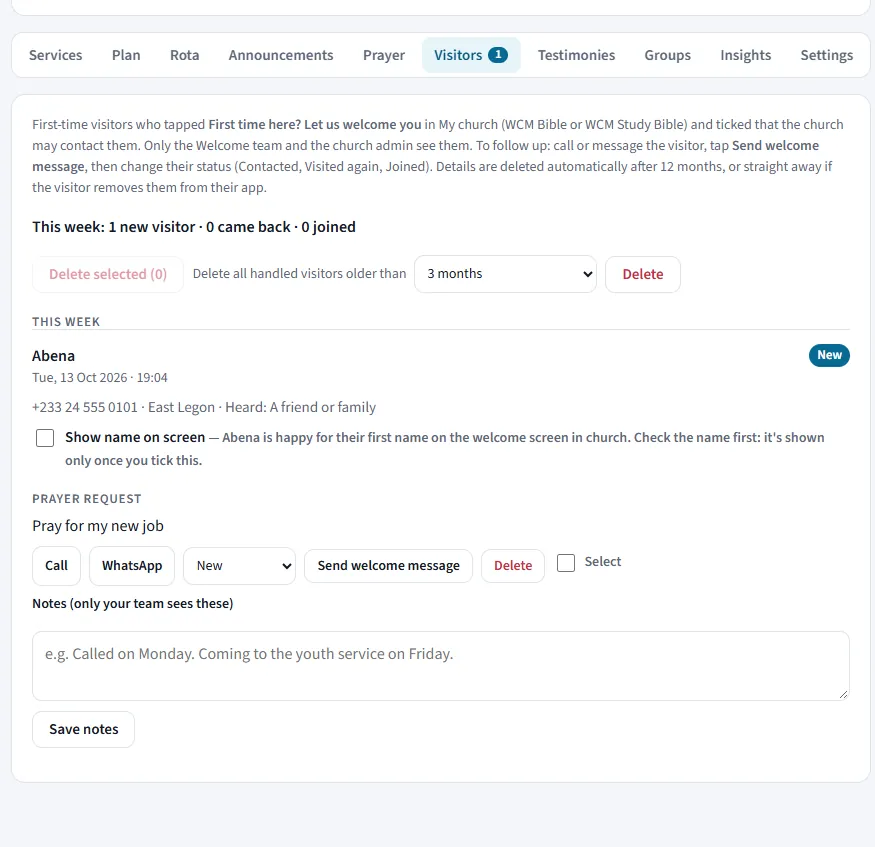
The welcome team opens the dashboard, calls or sends a WhatsApp message, and marks each visitor Contacted, Visited again or Joined.
The pastor writes devotionals ahead in WCM Study Bible Pro. Each one arrives at the time the pastor chose, with a notification.
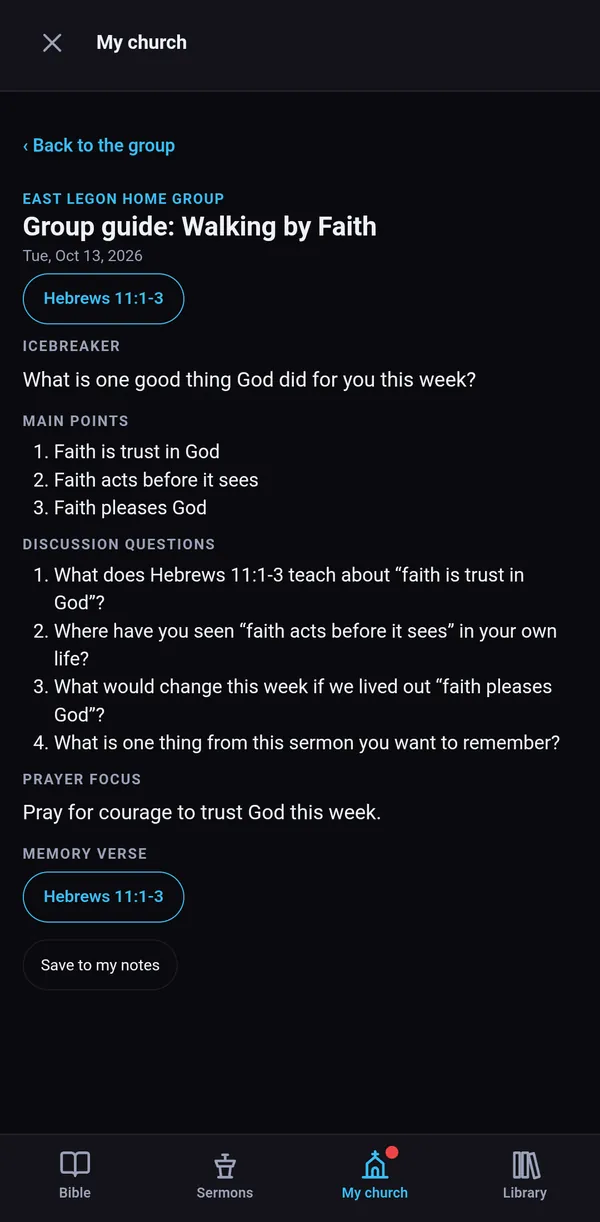
The group guide is made from Sunday's sermon: scriptures, points and a question for each point. Leaders share it and report how many came.
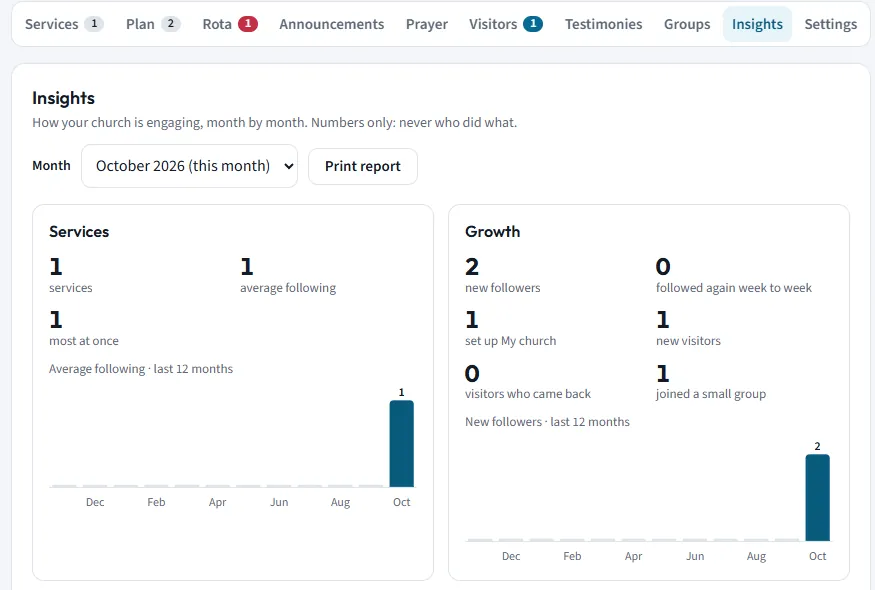
A monthly picture of how the church is engaging: services followed, new visitors, prayer requests, devotionals opened. Numbers only, never who did what.
What's included
The church team works from the church dashboard in any browser. Members use the free WCM Bible app. The pastor writes from WCM Study Bible.
01 · Team rota
Plan the month on the dashboard's Rota tab: projection, sound, camera, ushers, prayer, welcome or any role you add. Each volunteer sees their next duty and the month's rota in My church.

02 · Visitor welcome
The first time someone joins your church in the app, a small card asks First time here? They type their first name and, if they like, a phone or WhatsApp number and a prayer request.
Visitor details are deleted automatically after 12 months, or straight away if the visitor removes them in the app.


03 · Testimonies
Members tap My church, then Share a testimony. They choose how their name shows (full name, first name only or anonymous) and whether the church may share it.

04 · Devotionals and group guides
The pastor writes devotionals in WCM Study Bible Pro (Sermons, then Devotionals) and picks the day and time. Members get a morning notification and read it under My church, then Devotionals.
For small groups, open a sermon and tap Group guide: it is filled in from the sermon, with a discussion question for each point. Members join their group with the code or QR code their leader gives them. Leaders add a note, share the guide and report how many came.


05 · Prayer requests and Insights
Members send prayer requests from My church. The prayer team gets a notification, can mark a request prayed, reply, or flag it for the pastor, and WCM can show one on screen.
Insights, on the dashboard for the admin, show each month in simple charts: services and how many followed, new followers and visitors, prayer requests, devotionals and group guides opened. Print the report for your leaders' meeting.
Numbers only: Insights never show who did what.

Team links
The church admin gives each helper a team link. One phone can hold more than one, for example Volunteer and Preacher. A link can be switched off at any time.
Church pages without WCM
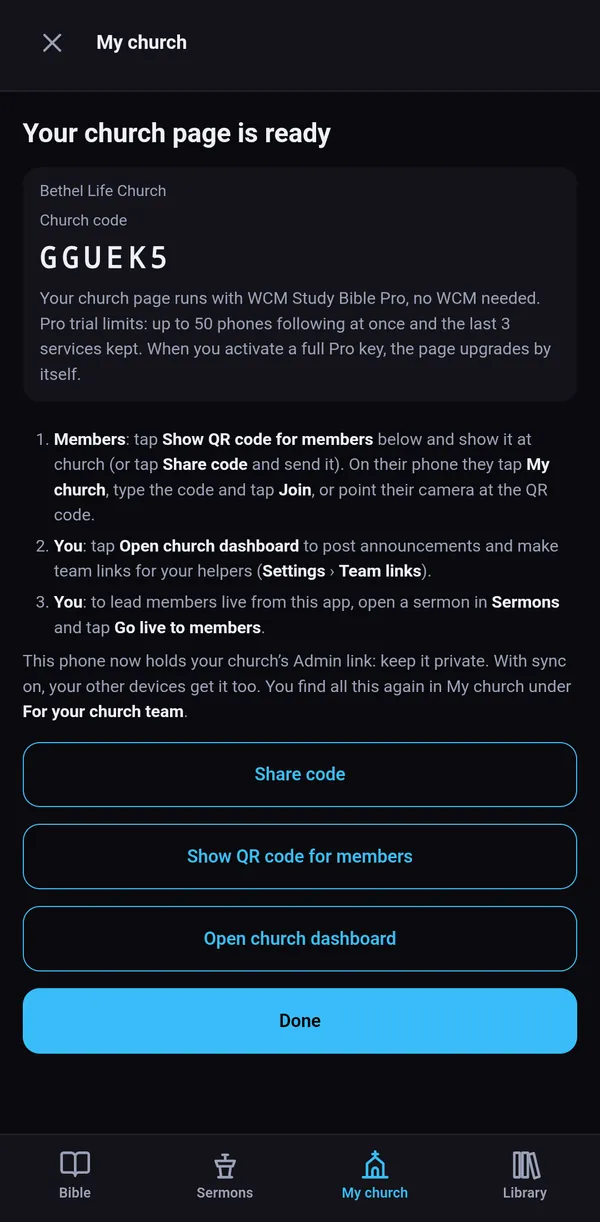
Not every church has a screen. A pastor with WCM Study Bible Pro can set up the church page from a phone or PC.
Members join with the church code, follow the pastor live, read devotionals and send prayer requests. The church team gets the dashboard, team links and the rota.
Set it up in a minute
Lost the phone that made the page? Set it up again with the same Pro key and you get your church page back.

For churches without a projector
Everything on the left, plus
When your church gets WCM, it joins the same church page. Members keep the same code, and the dashboard, team links, rota and past services stay. In WCM: Settings › Follow along › Use our existing church page, then paste the Admin link.
How members join
Members use the free WCM Bible app. Your church's code and QR code are on the screen when the service starts, and in the pastor's app.

Android
iPhone
Any phone
Your people's privacy
Nothing is sent unless the visitor ticks The church may contact me. Only the welcome team and the admin see it.
Insights count what happened in the month. They never show who opened, followed or prayed.
Each helper's team link shows only their part, and the admin can switch it off at any time.
Leave this church stops following and its notifications. Notes, highlights and bookmarks stay on the phone.
Read the full Privacy policy.
Download the free WCM trial for the booth, or ask for a Study Bible Pro key if your church has no projector. A real person answers your questions.