On an iPhone? Add WCM Study Bible to your Home Screen. It takes four taps.

Show me how

WCM Study Bible

Free download

Walk into the pulpit prepared.

Go beneath the English text with Hebrew and Greek word study, commentaries and cross-references, all in one place. Then build the sermon, preach it from your phone and send it to your church's screen. On Android, Windows and in any browser, including iPhone.

On an iPhone? Use the Study Bible in your browser, with nothing to install.

Free to use. Pro (sermons, the Pro library, Send to WCM and more) unlocks with a Pro key: contact us for a Pro key.

Android may ask you to allow installing from this source, because the app comes from our website rather than the Play Store.
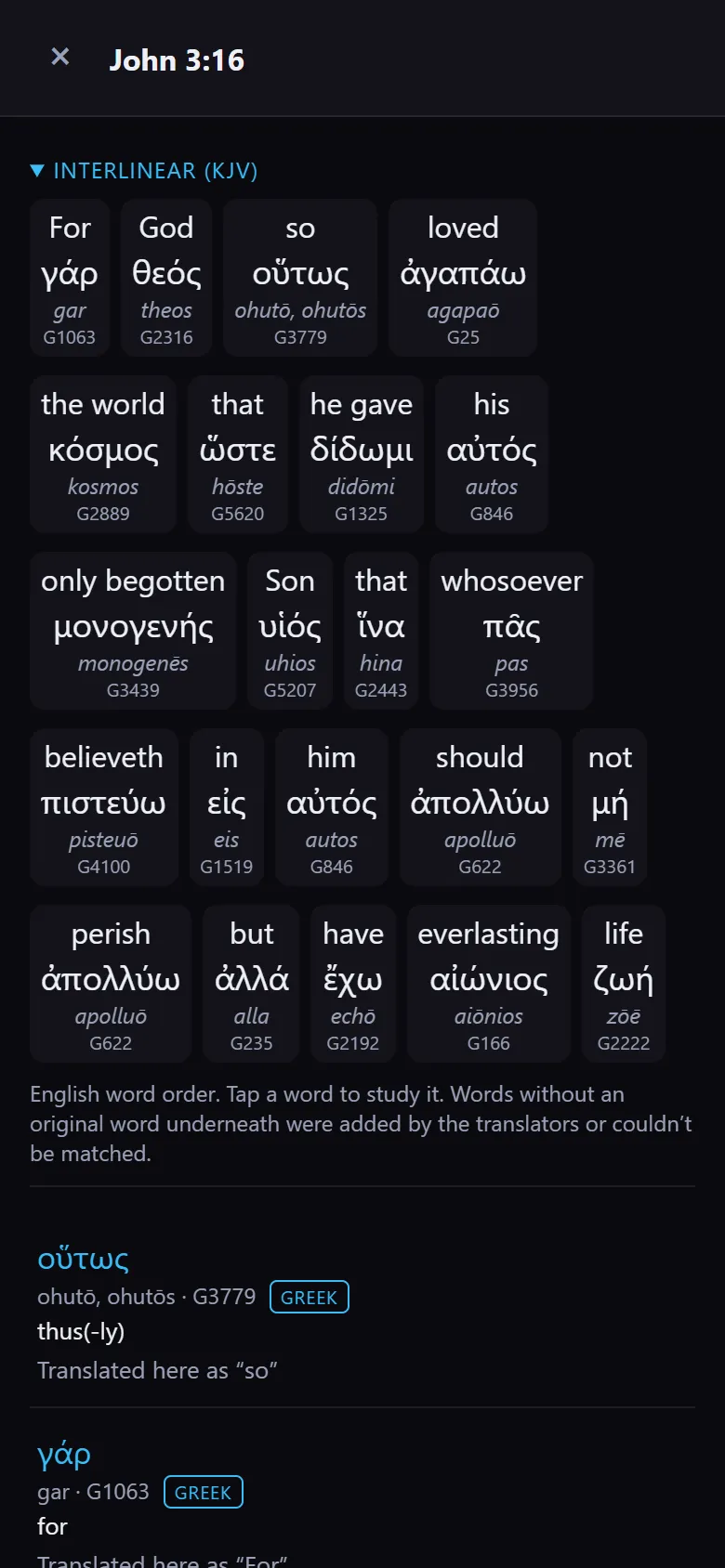
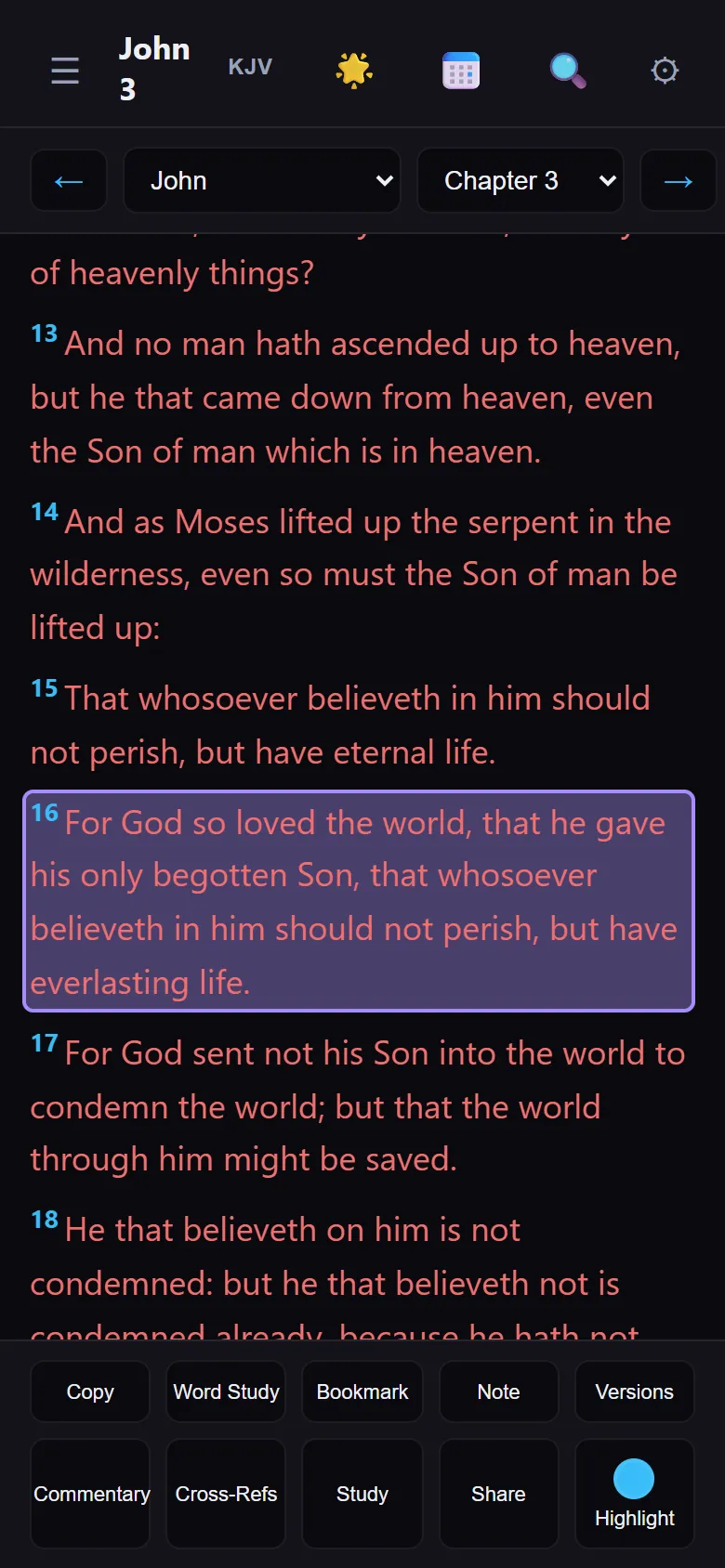
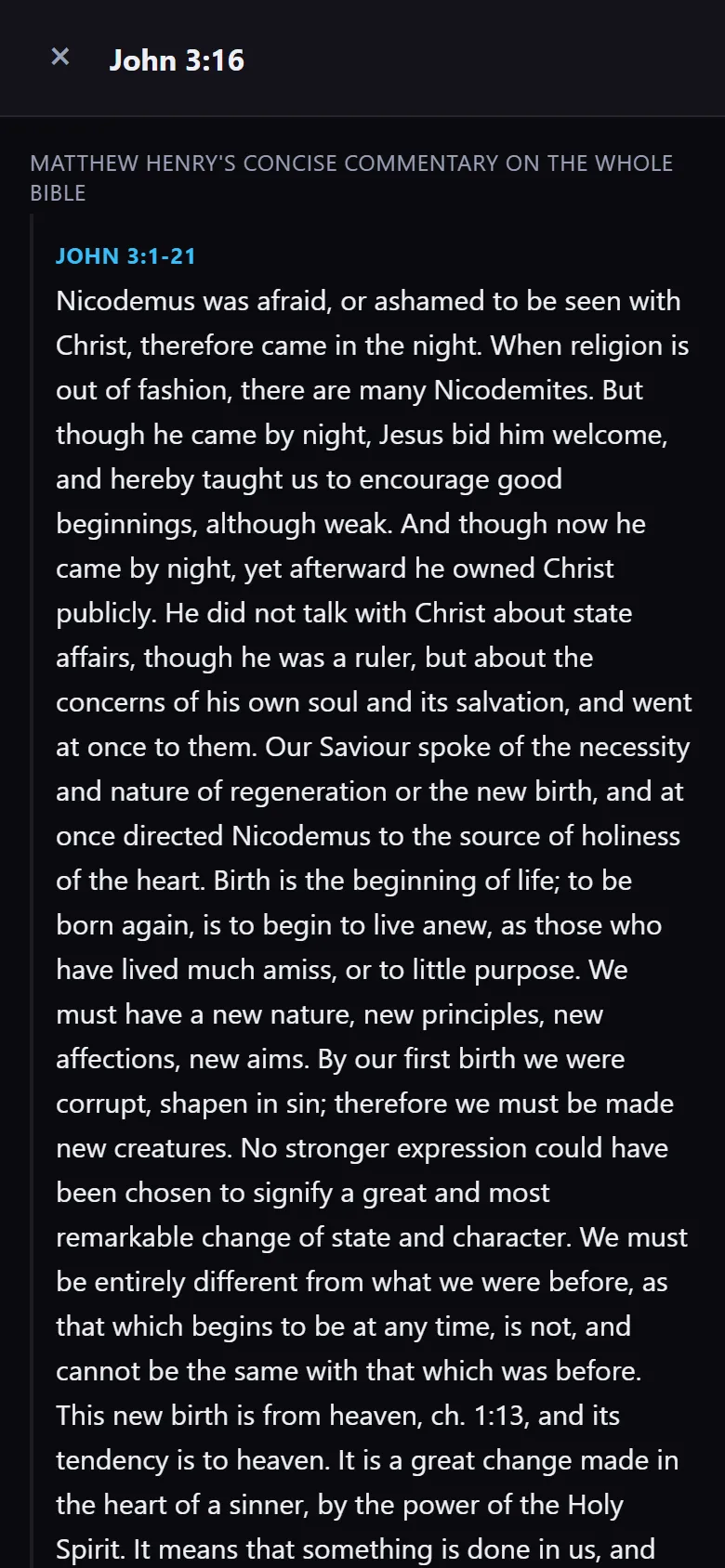
WCM Study Bible showing the Greek words behind John 3:16, word by word
Word study · John 3:16

For your study

Everything you reach for while preparing, in one app.

Built for pastors, Bible teachers and small-group leaders who want to go beneath the English text without a shelf of books.

01

Word Study

Tap a word to see the Hebrew or Greek behind it, its meaning, and where else it is used.

02

Library & Bible Reference

People, places with an offline map, events, Nave's topics, and Easton's and Smith's Bible dictionaries. In the Android and Windows apps.

03

Commentaries & cross-references

Read what others have written on a passage and follow the verses that connect to it.

04

Study this verse

One button gathers the word study, cross-references and commentary for the verse you are on.

Pro

05

Split view

Keep two translations, or a passage and your notes, side by side.

06

Audio Bible

Listen to a chapter while you drive or walk, and follow along on screen. With Pro, natural voices on Windows and recent high-end Android phones, offline after a one-time download.

07

Phone and PC, in sync

Start on your laptop, finish on your phone. Sync is end-to-end encrypted: only your own devices can read your notes and sermons.

08

Works offline

The Bible, library and map are on your device, so a weak signal does not stop your study.

See it

The real app, on a phone.

Captured from the web version, the same Study Bible you can open on an iPhone today.

Free and Pro

Study for free. Go Pro when you are preparing to preach.

One Pro key works on your phone, your PC and the web version. Contact us for a Pro key.

Study Bible

Free

  • Word Study in Hebrew and Greek
  • Library & Bible Reference with the offline map (Android and Windows)
  • Commentaries, cross-references and the interlinear
  • Split view and the Audio Bible
  • Encrypted sync between your devices

Send to WCM

Your sermon reaches the media team without being retyped.

When your church uses WCM, one tap sends the sermon title, the speaker and the scriptures to the booth computer.

01

Title and speaker

Ready to show full screen as you walk up to preach.

02

Scriptures in the Queue

Every reference you prepared is lined up for the operator, in order.

03

Points in Sermon Points

WCM can show each point as you reach it in the message.

04

Even if WCM is closed

Send it on Saturday night. It waits in WCM's inbox until the team opens the app.

New to WCM? See what it does in the booth.

New · Church page without WCM

No projector? Lead your church from your phone.

With Study Bible Pro, a pastor can set up the church page without WCM.

Members join with your church code and follow you live. You send daily devotionals and group guides, and your team gets the dashboard, team links and the rota. See everything in Church Life.

Set it up

Your church page in four steps

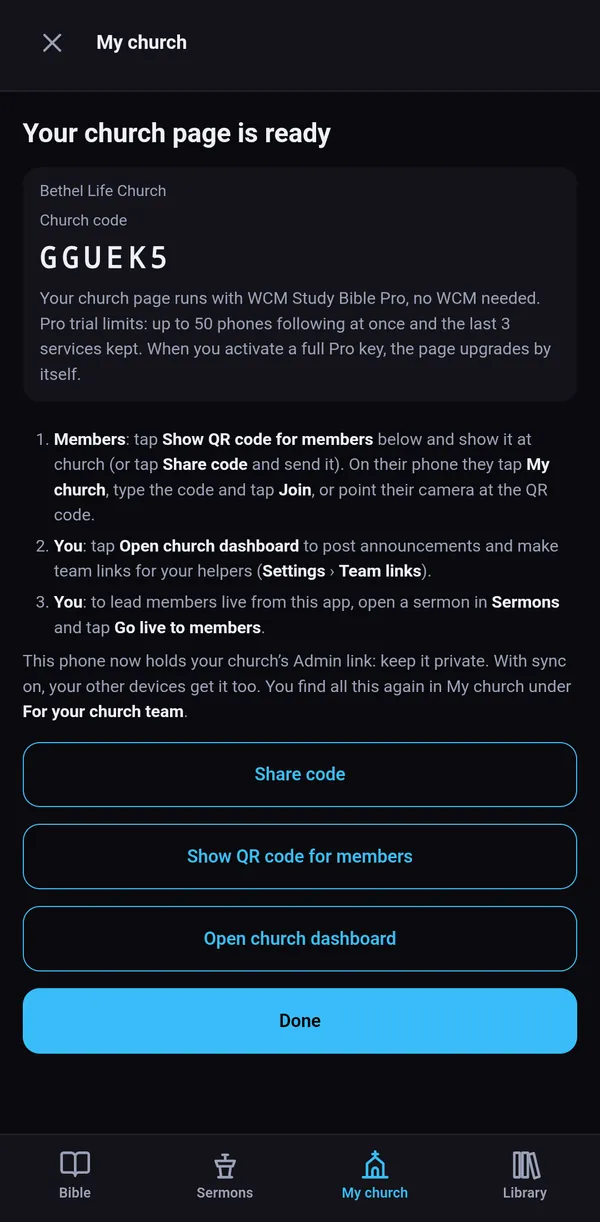
  1. Tap My church, then Set up your church page.
  2. Type your church's name and tap Create church page.
  3. Tap Show QR code for members on Sunday, or Share code to send it on WhatsApp.
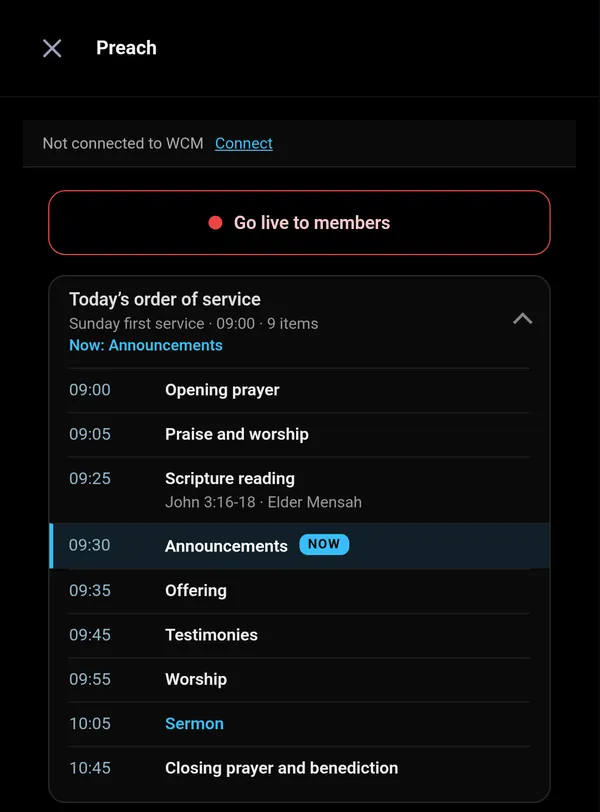
  4. To lead members live, open a sermon in Sermons and tap Go live to members.

When your church gets WCM, it joins the same page and members keep the same code: one church, one code for life.

WCM Study Bible after Create church page: Your church page is ready, Bethel Life Church, with the church code and buttons to share it
Your church page is ready
Preach view with Go live to members and today's order of service, with the item on now highlighted
Preach, with today's order of service

iPhone and iPad

Put WCM Study Bible on your iPhone's Home Screen.

There is nothing to download from an app store. Open it once in Safari, add it to your Home Screen, and it opens like an app, even offline.

You are using another browser. Open this page in Safari first, then follow the steps.

  1. Open study.wozerchurchmedia.com in Safari.
  2. Tap the Share button at the bottom of Safari (on iPad it is at the top).
  3. Scroll down and tap Add to Home Screen.
  4. Tap Add at the top right.
  5. Open WCM Study Bible from its new icon on your Home Screen.

Always open it from the Home Screen icon. That keeps your church, your notes and your notifications together.

Joining your church from a QR code

On iPhone, the camera opens your church's QR code in Safari. This is how to get the code into the app:

  1. Scan the QR code with the camera and tap the link. Safari opens and shows your church's code.
  2. Tap Copy code.
  3. Open WCM Study Bible from your Home Screen.
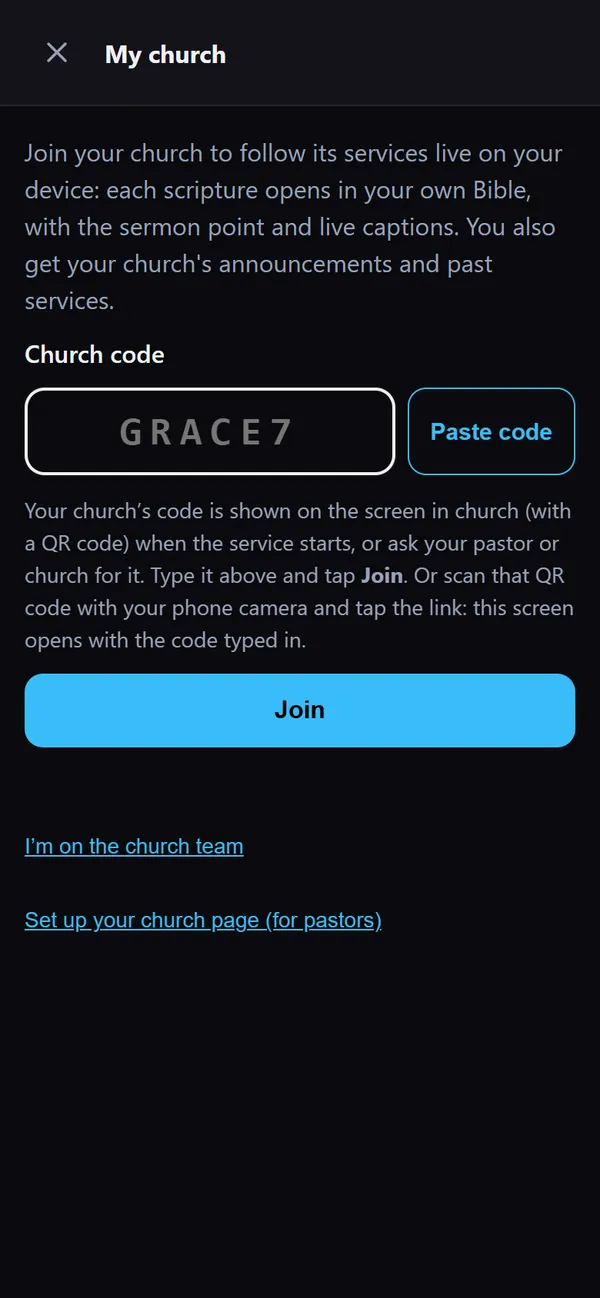
  4. Tap My church, then Paste code.
  5. Tap Join.
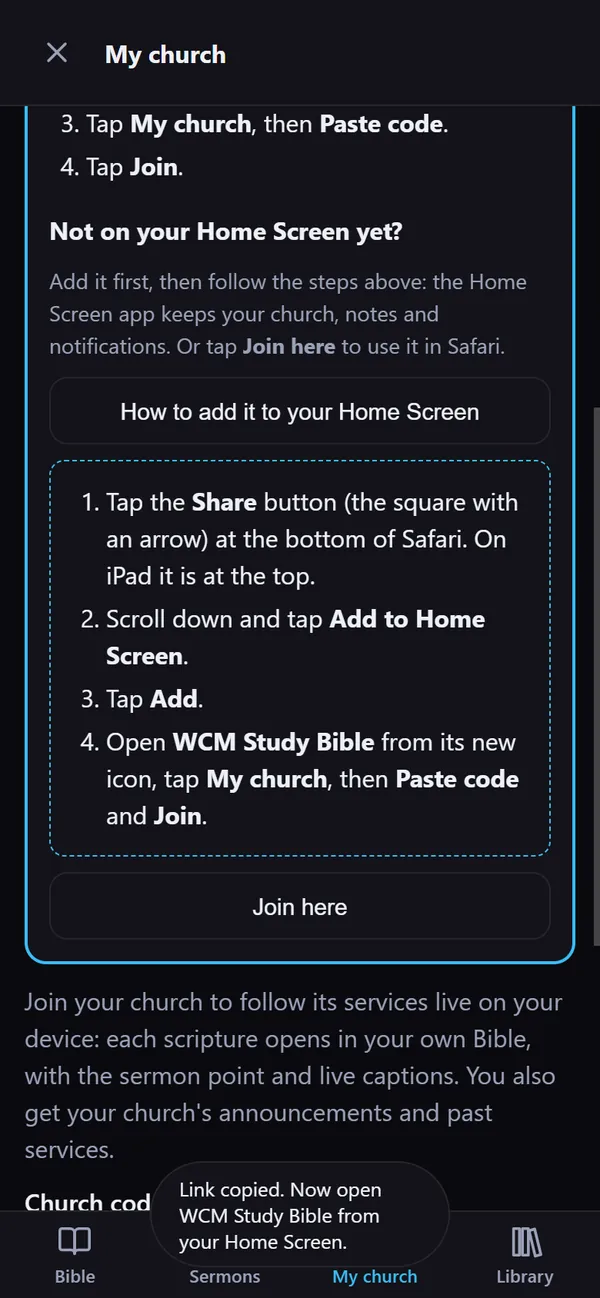
The app's own How to add it to your Home Screen steps, shown in Safari on an iPhone
The same steps, inside the app
My church in the iPhone Home Screen app: the church code pasted in, with Paste code and Join buttons
Paste code, then Join

In your browser

For the browser, and for iPhone users.

Available now

Your sermons on any computer

Open the web version on any computer and sign in to sync with the same email. Your notes are there, and with your Pro key your sermons too, ready to edit or preach in the browser.

Available now

Web version for iPhone

Open study.wozerchurchmedia.com in Safari, then tap Share and Add to Home Screen. Word Study, commentaries, notes and sync are free; your Pro key unlocks sermons and Send to WCM. Bible Reference and the maps stay in the Android and Windows apps.